
News
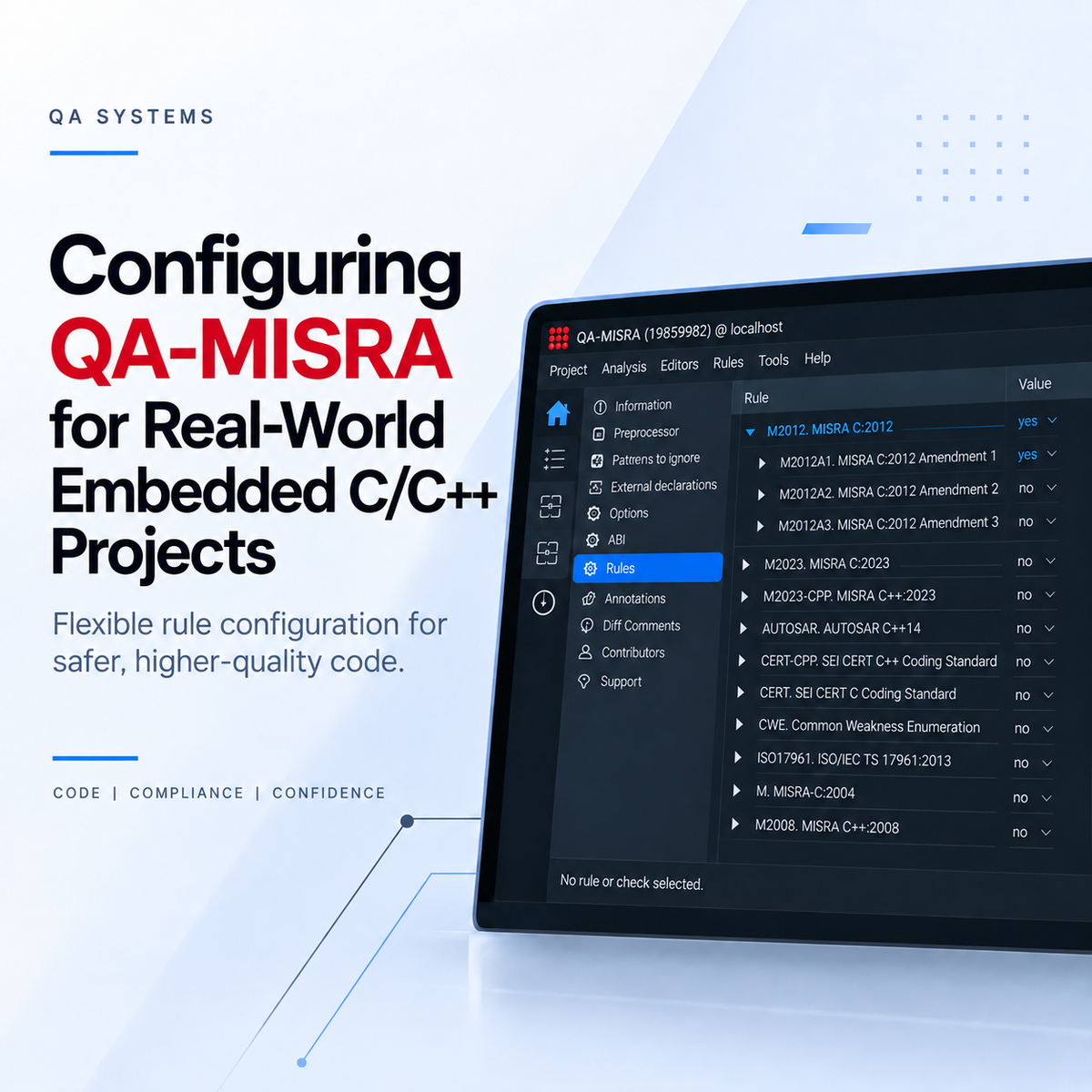
Configuring QA-MISRA for Real-World Embedded C/C++ Projects
Once QA-MISRA has been set up for a C or C++ project, the next step is adapting the analysis to the requirements of the development team. Different projects may follow different coding standards, use compiler-specific extensions, or have their own internal coding guidelines. QA-MISRA provides flexible configuration options that allow teams to tailor the analysis to the requirements of their project. CONFIGURE RULES FOR YOUR PROJECT Not every project needs to apply every coding rule in exactly the same way. From the QA-MISRA GUI, individual rules within supported coding standards can be enabled or disabled. This allows teams to create a rule configuration that matches the requirements of a particular project. Rules from available standards can also be combined into a project-specific configuration. These configurations can be exported and reused across other projects, helping development teams maintain a consistent internal coding policy. Select Coding Standard → Configure Rules → Save Configuration → Reuse Across Projects Individual findings can also be suppressed where an exception has been reviewed and accepted, while files or parts of a project can be handled differently where required. For organizations that require completely new custom rules, QA Systems can also work with customers to implement project-specific checks. ANALYZING REAL EMBEDDED C/C++ CODE Embedded projects often contain more than standard C or C++ source code. Macros, compiler-specific keywords, attributes, pragmas, and architecture-specific definitions are commonly used throughout embedded applications. QA-MISRA performs preprocessing as part of the analysis, allowing macros and their expanded code to be checked. QA-MISRA also supports a range of language extensions, while additional compiler-specific constructs can be handled through project configuration where required. REVIEWING RESULTS AND GENERATING REPORTS QA-MISRA findings can be reviewed directly within the GUI through the Results view. When using an IDE integration such as Visual Studio Code, detected issues can also be displayed directly within the development environment. Analysis results can also be exported into reports, including formats such as HTML and CSV. These reports can be useful for code reviews, project documentation, compliance activities, or sharing findings with other members of the development team. BRING CODING STANDARDS INTO YOUR WORKFLOW QA-MISRA can be adapted to different C and C++ projects through configurable rule sets, reusable project configurations, support for embedded language constructs, and flexible reporting options. Instead of treating coding-standard compliance as a separate activity at the end of a project, teams can make it part of their normal development process. For an introduction to QA-MISRA, see: Using QA-MISRA to Bring Coding Standards into C/C++ Development For evaluation license and VS Code setup instructions: Setting Up a QA-MISRA Evaluation License and VS Code Extension For an evaluation license, demonstration, or assistance with integrating QA-MISRA into your development workflow, contact: hrutik.champaneri@joraltechnologies.com
Learn more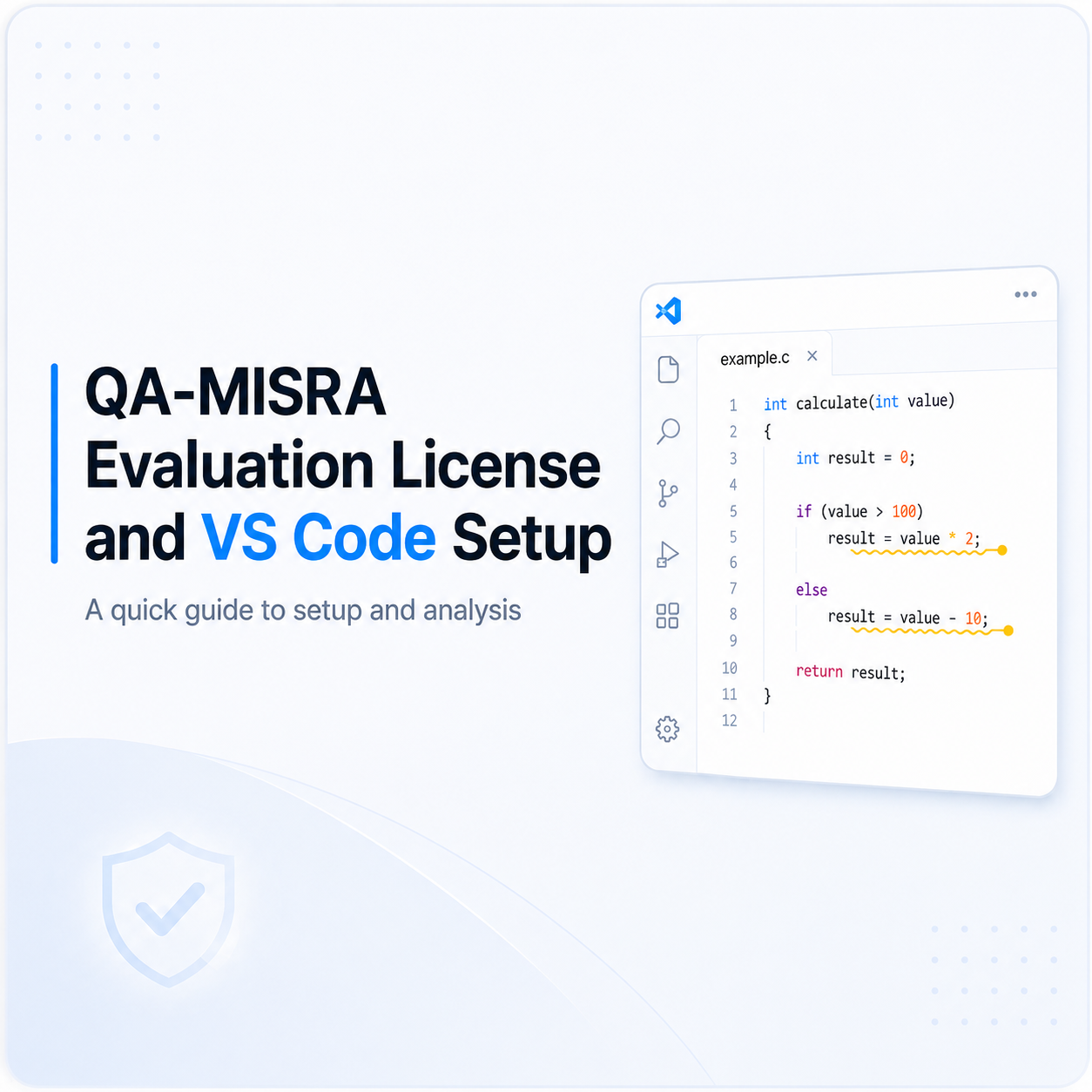
Setting Up a QA-MISRA Evaluation License and VS Code Extension
The following steps explain how to activate a QA-MISRA evaluation license, configure the local server, install the QA-MISRA extension in Visual Studio Code, and run an example analysis. 1. Request the QA-MISRA Evaluation License Request an evaluation license for QA-MISRA. After submitting the request, you will receive an email asking you to accept the End User License Agreement (EULA). Once the EULA is accepted, you will receive another email containing: The evaluation license file A portal link to download the QA-MISRA installation package 2. Install QA-MISRA Download the QA-MISRA installation package using the link provided in the email and install it on your system. 3. Start the QA-MISRA Local Server Open the QA-MISRA Server Controller. Click Manage Local Server, then select Start Server from the drop-down menu. 4. Log In to the Local Server When prompted for login credentials, use the default credentials: Username: adminPassword: admin After logging in, the Server Controller will display the local server and license information. 5. Add the Evaluation License In the License section, click the icon on the right-hand side. In the window that opens: Select Evaluation/Node-Locked License from the license menu. Under Data, enter or browse to the location of the license file received by email. Click OK. The evaluation license should now appear as active in the Server Controller. 6. Install the QA-MISRA Extension in VS Code Open Visual Studio Code and go to the Extensions tab. Click the three-dot menu (...) in the Extensions panel and select Install from VSIX... Navigate to the QA-MISRA installation directory and open: share → vscode Select the available .vsix file and click Install. Once the installation is complete, the QA-MISRA extension page will appear in VS Code. 7. Open a QA-MISRA Example Project To verify that QA-MISRA is working correctly, open one of the example projects included with the QA-MISRA installation. The example folder is available inside the share directory. Choose the example project you want to analyze and open the folder in VS Code. 8. Check the .dax File Make sure the required .dax file is available for the example project. For the provided examples, the .dax file should be located one folder above the source files that you want to analyze. 9. Run and View the QA-MISRA Analysis Open the desired .c or .cpp source file. Then open the Output panel in VS Code. The QA-MISRA output will appear here as the source code is analyzed. 10. View MISRA Violations in the Source Code Once the analysis is running, QA-MISRA highlights detected issues directly in the source code using yellow squiggly lines. Hover over a highlighted section to view the corresponding ALARM, including information about the coding-standard violation detected by QA-MISRA. 11. Change the Analysis Mode By default, the QA-MISRA extension is configured to use Single Translation Unit mode. If you want to analyze the complete project, you can change the analysis mode in the VS Code settings. Go to: File → Preferences → Settings → Extensions Under Extensions, select a³ for C/C++ LSP Client. Find the A3c › Client: Mode setting. Open the drop-down menu and change the mode from single-translation-unit to the full-project analysis mode. Single Translation Unit vs. Full Project: Single Translation Unit mode analyzes individual source files separately, while full-project mode analyzes the project with a broader view of the code and relationships between multiple source files.
Learn more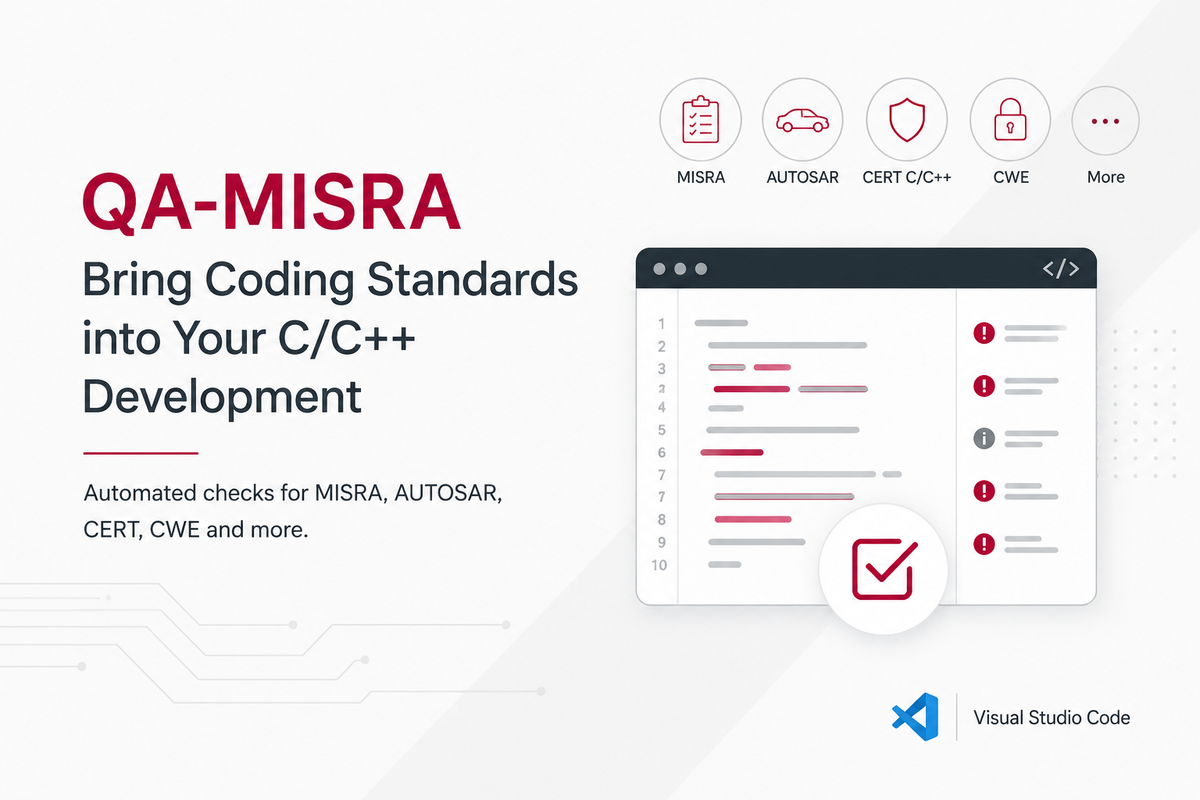
Using QA-MISRA to Bring Coding Standards into C/C++ Development
In embedded and safety-critical software, coding standards help reduce risky language behaviour, improve consistency, and make software easier to review and verify. This is especially important in industries such as automotive, aerospace, medical, rail, and industrial systems, where software reliability and traceability are critical. The challenge is applying those standards consistently across a real C or C++ codebase. WHAT QA-MISRA DOES QA-MISRA is a static code analysis tool focused on C/C++ coding-standard compliance and code quality. It automatically checks source code against coding standards and security rule sets including MISRA C/C++, AUTOSAR C++, CERT C/C++, CWE, JSF AV C++ and ISO TS 17961. Unlike deeper runtime-error analysis tools such as Astrée, QA-MISRA is primarily focused on the question: “Does this code follow the coding and quality rules defined for the project?” WHY USE QA-MISRA? Manually checking hundreds of coding rules during code reviews quickly becomes difficult, especially on larger projects. QA-MISRA automates these checks and applies the same rules consistently across the codebase. Write C/C++ Code → QA-MISRA Analysis → Review Violations → Fix or Assess Issues → Continue Development This helps teams detect issues earlier, reduce manual review effort, and make coding-standard compliance part of everyday development rather than something checked only near the end of a project. USING QA-MISRA WITH Visual Studio Code QA-MISRA can also be integrated directly into Visual Studio Code using the A3C C/C++ LSP Client. After installing QA-MISRA and configuring the license: Install the A3C C/C++ LSP Client in VS Code. Configure the path to your QA-MISRA installation. Open your C or C++ project. Run the analysis and review detected violations directly in the editor, Problems, and Output panels. For detailed setup instructions, see our step-by-step QA-MISRA evaluation license and VS Code setup guide: QA-MISRA Evaluation License and VS Code Setup Guide Bring Coding Standards into Your Workflow QA-MISRA helps turn coding standards from documentation into something that can be checked continuously during development. You can also explore the available QA-MISRA licensing options and configurations on the Joral Technologies website. View QA-MISRA Licensing Options For an evaluation license, installation support, or help integrating QA-MISRA into your development workflow, reach out to hrutik.champaneri@joraltechnologies.com and start bringing coding-standard compliance directly into your C/C++ development process.
Learn more
QA-MISRA 26.04: Faster Analysis, Smarter Reporting, Greater Flexibility
The new release delivers significant improvements in performance, reporting accuracy, and workflow flexibility for teams developing safety- and business-critical software. It introduces ...
Learn more
Cantata 26.04: Bringing AI-Assisted Testing into the Verification Workflow
The new release introduces new AI-assisted testing capabilities, enhanced automation, and greater flexibility for teams developing safety-critical C and C++ software. Highlights include...
Learn more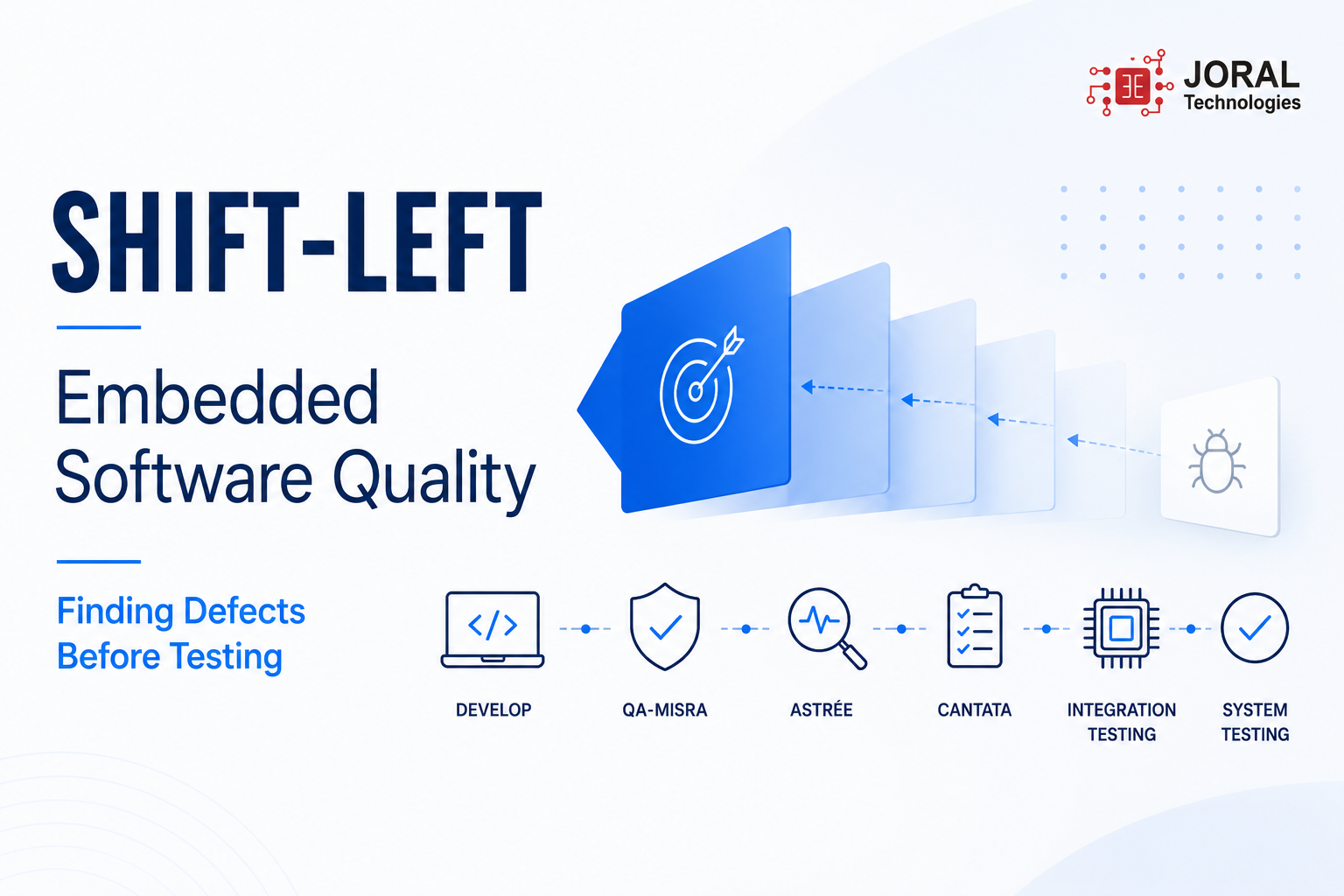
Shift-Left Embedded Software Quality: Finding Defects Before Testing
In embedded software development, defects discovered during integration, system testing, or field validation often become significantly more expensive to resolve than those identified during implementation. Industry studies suggest that fixing defects late in the development lifecycle can cost 10 to 100 times more than addressing them earlier, resulting in increased debugging effort, delayed releases, and higher project risk. Unlike traditional software applications, embedded systems introduce additional complexity through hardware interactions, real-time constraints, communication protocols, and safety requirements. For example, a runtime defect identified during hardware integration may require extensive debugging across software, drivers, and target hardware, whereas the same issue discovered during development can often be resolved much more efficiently. This is why many engineering organizations are adopting a shift-left approach to software quality. Shift-left development focuses on moving verification activities earlier in the development process, allowing teams to identify and resolve issues before they reach integration and system validation stages. A practical shift-left strategy for embedded software combines coding standards enforcement, static analysis, and automated unit testing. Using QA·MISRA, development teams can automatically enforce MISRA coding guidelines during implementation, helping improve code quality and reduce reliance on manual code reviews. With Astrée, engineers can perform deep static analysis to identify potential runtime issues such as arithmetic overflows, invalid memory accesses, and uninitialized variables without requiring execution on target hardware. Finally, Cantata enables automated unit testing, code coverage analysis, and early validation of software behavior before full system integration begins. A modern embedded verification workflow may therefore follow this sequence: Develop → QA MISRA → Astrée → Cantata → Integration Testing → System Testing By introducing verification activities earlier in the development lifecycle, embedded teams can reduce defect escape rates, shorten debugging cycles, improve software reliability, and increase confidence in project schedules and product releases. Rather than treating quality as a final-stage activity, shift-left development transforms software verification into a continuous engineering practice. To learn more about our embedded software quality solutions, please contact Hrutik Champaneri at hrutik.champaneri@joraltechnologies.com Register HERE for our upcoming webinar to see Astrée static analysis integrated directly into Visual Studio Code.
Learn more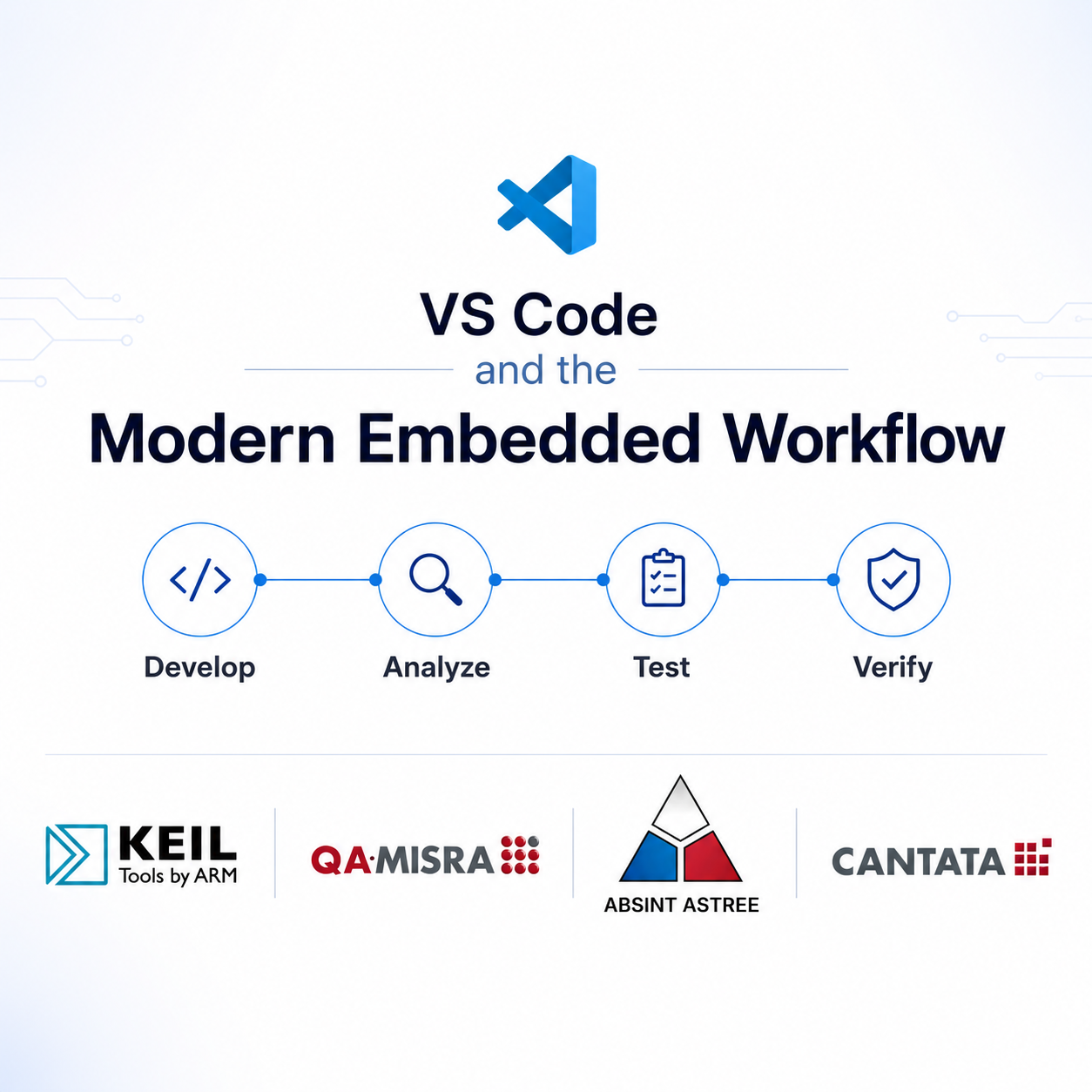
VS Code and the Modern Embedded Workflow
Visual Studio Code has become a preferred development environment for many embedded software teams thanks to its flexibility, lightweight design, and extensive extension ecosystem. However, as embedded projects grow in complexity, writing code is only part of the challenge. Teams must also ensure software quality, compliance, test coverage, and verification while still meeting aggressive release schedules. The challenge is that many of these activities are still performed later in the development lifecycle, where defects become significantly more expensive to resolve. Industry studies have shown that software defects discovered during integration or system testing can cost up to 10x more to fix than those identified during development. For this reason, many organizations are shifting verification activities earlier in the software lifecycle to reduce project risk, improve quality, and avoid costly rework. Rather than forcing developers to abandon their preferred development environment, a modern VS Code-based workflow allows quality and verification activities to be integrated directly into day-to-day development. Developers can use Keil MDK to build and debug Arm Cortex-M applications while continuing to work within a familiar VS Code environment. Powered by Arm Compiler and the CMSIS ecosystem, Keil MDK provides optimized code generation, comprehensive device support, and advanced debugging capabilities specifically designed for Arm-based systems. This enables teams to accelerate development while building on a trusted toolchain widely used across safety, industrial, automotive, and IoT applications. Coding standards compliance is often another source of engineering effort, particularly for projects operating under safety, security, or regulatory requirements. QA MISRA helps identify coding standard violations as code is written, allowing issues to be corrected before formal reviews begin. Organizations that introduce coding standards verification earlier in development often report reduced review effort, improved code consistency, and fewer compliance related surprises during audits and certification activities. With the QA·MISRA extension integrated directly into VS Code, developers can identify violations and receive feedback within the editor, helping them address issues before they become larger development or compliance challenges. Static analysis provides another opportunity to identify defects before they become schedule impacting problems. AbsInt Astrée analysis tools help detect runtime anomalies, stack usage concerns, and software defects before code reaches target hardware. Finding issues during development rather than during integration testing can substantially reduce debugging effort while improving software reliability and reducing verification risk. Similar to QA MISRA, Astrée integrates with VS Code and highlights analysis results directly within the development environment, enabling engineers to identify and resolve issues earlier in the software lifecycle. Verification through testing remains equally important. QA Systems Cantata enables automated unit and integration testing for C and C++ applications, helping teams continuously verify functionality throughout development. Studies have shown that automated testing can reduce manual test execution effort by 30–50% while improving repeatability, coverage, and traceability. For organizations operating in regulated industries, automated testing also helps generate evidence required for standards such as ISO 26262, IEC 61508, IEC 62304, and DO-178C. With Cantata's VS Code integration, developers can generate test cases, execute tests, and review code coverage directly within their development environment, helping teams build quality into the software lifecycle from the start. Modern development workflows increasingly rely on CI/CD pipelines to improve efficiency, consistency, and software quality. VS Code integrates seamlessly with source control and automation platforms, making it easier to manage branches, reviews, builds, testing, and deployments. When combined with tools such as Keil MDK, QA·MISRA, AbsInt, and Cantata, teams can automate quality checks, compliance verification, static analysis, compilation, and testing throughout the development lifecycle. This unified workflow improves traceability, strengthens collaboration between development and quality teams, and helps identify issues earlier, reducing the risk of costly late-stage defects while providing greater confidence that software meets quality, security, and compliance requirements before release. Together, VS Code, Keil MDK, QA MISRA, AbsInt, and Cantata support multiple stages of the embedded software V-model from implementation and debugging through compliance, static analysis, testing, and verification. The result is not simply better tooling, but a more predictable development process, fewer escaped defects, reduced rework, and higher confidence in software quality before release. Interested in learning how these tools can fit into your development workflow? Reach out to Hrutik Champaneri at hrutik.champaneri@joraltechnologies.com to discuss your project requirements, compliance goals, or embedded software development challenges. Explore our VS Code Ecosystem page to discover tools for embedded development, static analysis, MISRA compliance, automated testing, and CI/CD integration, all within a modern VS Code workflow.
Learn more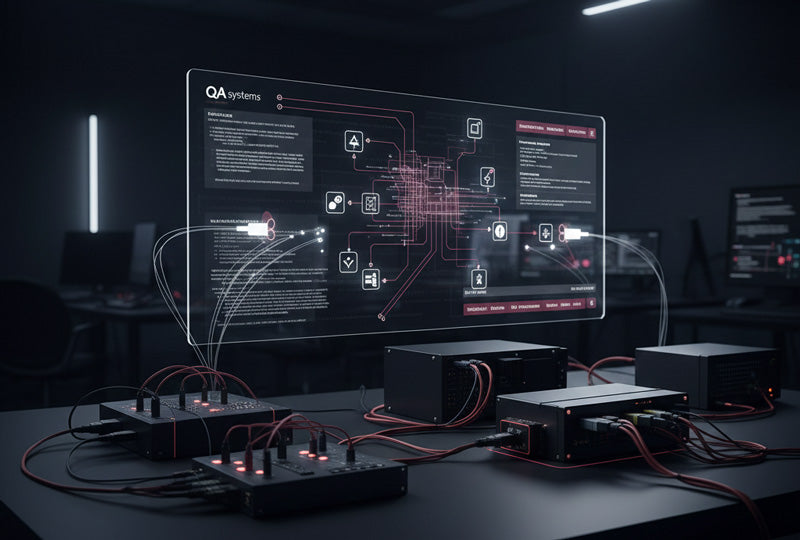
Safe and Efficient AUTOSAR Development with ISO 26262 Verification
AUTOSAR defines how software is structured. QA Systems tools prove that the software is safe. AUTOSAR provides a standardised software architecture that underpins much of today’s automotive ECU development. While it delivers structural consistency and standardised interfaces, functional safety certification is determined by how the underlying C/C++ software is verified and not by architecture alone. When combined with rigorous static and dynamic verification, it enables OEMs and Tier 1 suppliers to achieve ISO 26262-compliant, ASIL-aligned software verification across powertrain, chassis, ADAS, and software-defined vehicle platforms. Why AUTOSAR Alone Is Not Enough for ISO 26262 ISO 26262 compliance is achieved through rigorous software verification, regardless of whether a project uses Classic or Adaptive AUTOSAR. This includes: Mandatory coding-standard compliance Unit and integration testing Structural coverage, including MC/DC at higher ASILs Full traceability and audit-ready evidence This is where QA-MISRA and Cantata integrate directly into AUTOSAR workflows, providing the static and dynamic verification evidence required to support ISO 26262 safety cases. Where AUTOSAR Is Used in Safety-Critical Automotive Systems Classic AUTOSAR Domains: Powertrain ECUs (torque control, fuel injection, emissions) Braking, steering and chassis systems (ABS, ESC, EPB, steer-by-wire) Adaptive AUTOSAR Domains: ADAS and automated driving controllers (AEB, ACC, LKA) Software-defined vehicle platforms, OTA, V2X, EV energy management Modern vehicles often combine Classic ECUs for actuation with Adaptive controllers for perception and planning, creating end-to-end safety-critical chains from sensor to actuator. Using QA-MISRA in an AUTOSAR Workflow QA-MISRA provides static analysis and coding-standard enforcement aligned with ISO 26262 Part 6 for AUTOSAR software implementation. It analyses: MISRA C MISRA C++ AUTOSAR C++14 This ensures that BSW drivers, RTE glue code, and SWCs avoid undefined behaviour, data races, memory errors, and unsafe constructs. Typical QA-MISRA AUTOSAR Flow Generated and handwritten C/C++ is analysed in CI pipelines Project-specific rule profiles are derived from ASIL targets and HARA The QA-MISRA Tool Qualification Support Kit (QSK) provides ISO 26262 tool-confidence evidence Benefits: Reduced manual code reviews Early detection of integration regressions Consistent enforcement across multi-supplier AUTOSAR projects Using Cantata to Verify AUTOSAR Components Cantata provides ISO 26262-aligned dynamic unit and integration testing and is independently certified for use up to ASIL D. Typical Cantata Applications in AUTOSAR Unit testing of safety-critical SWCs (e.g. brake pressure control, steering assist, torque arbitration) Using RTE and BSW stubs to achieve: statement coverage branch coverage MC/DC coverage Integration testing of end-to-end safety chains (e.g. sensor fusion → motion control → brake/steering actuation) on target hardware Cantata’s TÜV certification and ISO 26262 qualification kits provide regulators with confidence that test results can be relied upon in the safety case. Bringing It All Together for Safety-Critical Projects A pragmatic and certifiable approach for safety-critical automotive development is: AUTOSAR → architectural backbone QA-MISRA → static verification & defect prevention Cantata → dynamic verification, coverage & regression AUTOSAR defines the structure. QA-MISRA and Cantata provide the verification evidence that the C/C++ implementation is robust, compliant, and tested to ASIL-appropriate coverage levels. AUTOSAR Classic vs Adaptive: How QA Systems Maps Across Both QA Systems tools operate horizontally across both Classic and Adaptive AUTOSAR. They do not replace AUTOSAR services, they verify the software that implements them. AUTOSAR Classic: Control-Centric ECUs Used for powertrain, chassis, airbags, EPS, and body ECUs. QA-MISRA enforces MISRA/AUTOSAR coding rules and provides ISO 26262 tool-qualification evidence Cantata performs unit and integration testing of SWCs and BSW using RTE/MCAL stubs, certified up to ASIL D AUTOSAR Adaptive: Service-Oriented Platforms Used for ADAS, central compute, connectivity, OTA, and domain controllers. QA-MISRA enforces safe C++ coding across complex Adaptive services Cantata validates safety-relevant shared libraries and services using structural coverage, regression testing, and fault-response validation Cross-Cutting ISO 26262 and Tool Qualification Classic and Adaptive AUTOSAR share the same ISO 26262 tool-qualification requirements. Cantata: TÜV-certified (ISO 26262 TCL 1, up to ASIL D) QA-MISRA: ISO 26262 Tool Qualification Support Kit Together they provide the complete tool-confidence argument required by OEMs and Tier 1 suppliers. Practical Mapping Summary Classic domain: powertrain, chassis, airbags, EPS → verify low-level C code with QA-MISRA + Cantata, apply MC/DC where required Adaptive domain: ADAS, central compute, connectivity, OTA → verify C/C++ services with QA-MISRA for defect prevention and Cantata for regression & safety-mechanism testing. © 2026 QA Systems. Published by JORAL Technologies.
Learn more
Cantata Now Available as a VS Code Extension
Hello Engineering Team, My name is Hrutik from the JORAL Engineering Team. QA Systems Cantata, a trusted solution for unit testing and code coverage, is now expanding its accessibility with a new Visual Studio Code extension. Known for helping teams automate testing, run efficient test execution, and generate clear diagnostic reports, Cantata helps development teams detect issues early and improve software quality with confidence. Just a quick note to let you know that Cantata is now available as an extension pack for Visual Studio Code. With this latest update, developers can now use Cantata directly within VS Code while still benefiting from the full functionality traditionally available in the Cantata IDE. This integration makes it easier for teams already working in VS Code to adopt Cantata without changing their workflow, improving efficiency and accessibility. To get started: Open Visual Studio Code Go to the Extensions tab Search for “Cantata” You should see a set of Cantata-related extensions—install the ones you need If you’d like to see how Cantata works within VS Code, I’ve included a short demo video for reference: 🎥 Cantata Visual Studio Code Extension Demohttps://www.youtube.com/watch?v=HClll6OWOWg&list=PL-3AenM-IauNUzUAE5SxDm1fboHdHobXr Feel free to reach out if you have any questions or would like a walkthrough. Hrutik Champaneri Field Application Engineer Email: hrutik.champaneri@joraltechnologies.com https://www.linkedin.com/in/hrutikchampaneri/ https://joraltechnologies.com/
Learn more
EMBEDDED IS EVERYWHERE

PRODUCTS
Manufacturers
Resource center